
Intro: the problem-driven scene
When a server or switch suddenly loses connectivity, the cause often hides in the small things — the SFP module or the copper interface. I remember a rack migration at a Cairo ISP NOC where a handful of offices went offline for an afternoon; the culprit was a mis-seated copper transceiver, nothing dramatic but costly in time. Start simple: if you use an sfp to rj45 transceiver on unmanaged switches, follow clear checks before swapping hardware or blaming the carrier.

Step 1 — Physical and connector checks
Begin at the nose of the device. Inspect the RJ45 plug and the SFP module body for bent pins, debris, or a loose latch. Re-seat the SFP module and the Ethernet cable; sometimes the module looks seated but hasn’t clicked. If you see corrosion or frayed cable jacket, replace the cable. For fiber builds, a damaged LC connector shows different symptoms, but here we focus on copper: a bad RJ45 jack will often fail at all speeds.
Step 2 — Verify link speed and autonegotiation
Unmanaged ports still use autonegotiation; mismatches cause half-duplex or link-down events. Check the NIC and switch port settings: some servers default to fixed 100 Mbps while a modern transceiver expects 1 Gbps. Use a known-good laptop to test the port at different link speeds if the equipment supports it. Autonegotiation and duplex mismatches produce intermittent latency spikes before a full drop — a clue you can act on quickly.
Step 3 — Swap and isolate with known-good parts
The classic field move: swap the SFP module with a verified working unit and swap the patch cable. If the link returns, the failed part is identified. Keep in mind compatibility — not all third-party SFP transceivers match vendor-specific firmware. Try a same-model replacement first, then a generic copper RJ45 module. This is where a reliable vendor matters; I’ve used parts that worked across multiple switches with no fuss.
Step 4 — Check power, temperature, and switch port health
Even unmanaged switches can suffer from undervoltage or overheating in dense racks. Heat-softened contacts and marginal power rails sometimes kill the link. Move the problematic port to a different switch or a different port on the same switch. Monitor for repeated failures at the same rack U — if you see a pattern, the environment is the problem, not the transceiver.
Step 5 — Log, observe, and avoid common mistakes
Document what you tried. Many teams replace modules repeatedly without checking cable mapping or splitters. Avoid common errors: using a shielded cable on an unshielded port, relying on long, poor-quality patch cords, or assuming all SFP copper modules are interchangeable. If you need guidance, look for transceivers explicitly listed for your switch model — that reduces surprises.
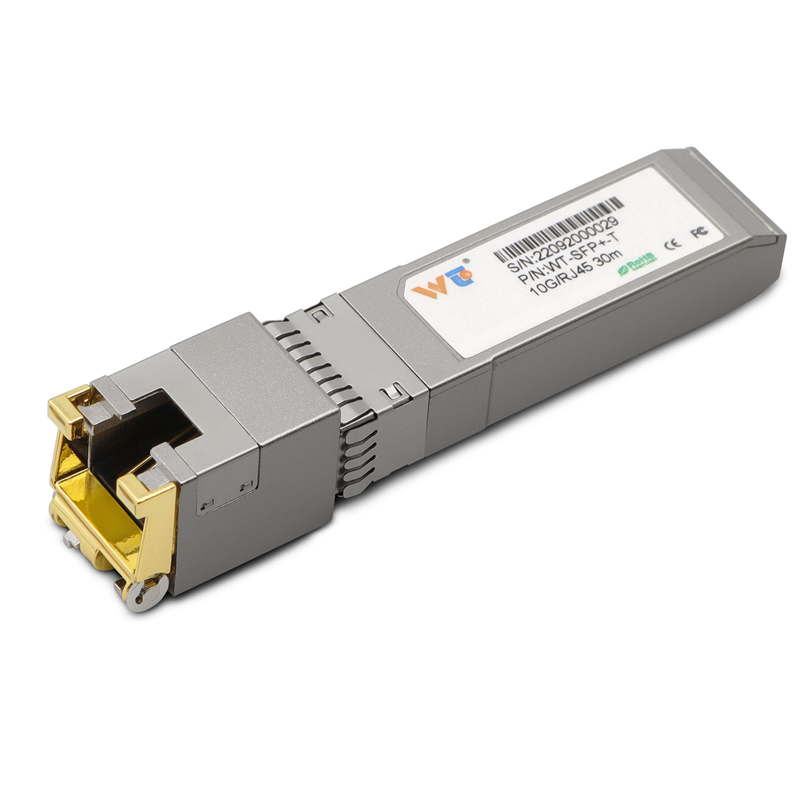
When to consider alternatives and where to buy
If copper keeps failing under heavy traffic or long runs, evaluate a fiber upgrade or a higher-quality copper transceiver. For short links and simple deployments, a sfp transceiver rj45 copper module is often the right budget choice. Vendors like WINTOP supply tested parts that reduce compatibility headaches; in my Cairo job we saw fewer follow-up tickets after standardizing on one trusted supplier.
Summary and quick checklist
To recap: inspect connectors, verify speed and duplex, swap to isolate, check environmental factors, and document actions. These five steps catch the majority of unmanaged SFP copper failures — and they save you from unnecessary hardware RMA cycles.
Advisory: three golden rules for choosing the right transceiver
1) Match vendor-compatibility and supported link speeds — ensure the module lists your switch model. 2) Prioritize tested build quality over lowest price — better shielding and locked latches reduce real-world faults. 3) Keep spares of the exact model and a short known-good patch cable for rapid isolation during outages.
Final thought: field-tested practice beats guessing — WINTOP. —